
Help / Getting started
Move one GitHub Actions workflow
Start with a non-critical Linux workflow. Review its architecture, installed tools, required memory and network access before switching it.
1. Sign in and install the app
Sign in with GitHub, then install the DiscountRunners GitHub App on your organization and select the repositories it may access. Runners serve GitHub organizations only, not personal accounts. Only organization administrators can manage the dashboard. Review permissions and data access before installation.
2. Check your balance
Eligible GitHub accounts at least 30 days old get 3,000 free Starter minutes every month after installation, for jobs on the 1-, 2- and 4-vCPU sizes. Each person gets one free allowance: if you install the App on several accounts, only the first gets it. Those jobs use Starter minutes before credit, and unused minutes expire at midnight UTC on each monthly anniversary of sign-up. The Billing page shows your available credit. Card top-ups use Stripe Checkout and start at $50. Paid credit does not expire; refunds follow the terms. Billing explains holds, caps and the ledger.
3. Choose a compatible runner
The default label is discountRunners-2vcpu. Every size runs GitHub's Ubuntu 24.04 image by default; labels ending in -lite boot a small toolchain instead, so use setup-* actions for required versions. Review the software differences; ubuntu-latest is a moving target. See runner labels and sizes for ARM, memory and region choices.
jobs:
  test:
    runs-on: discountRunners-2vcpu
    steps:
      - uses: actions/checkout@v4
      - uses: actions/setup-node@v4
        with:
          node-version: '22'
      - run: npm ci
      - run: npm test
This example assumes a Node project with a lockfile and test script. Keep your own workflow steps and change the runner only after checking compatibility.
4. Or let the console open the pull request
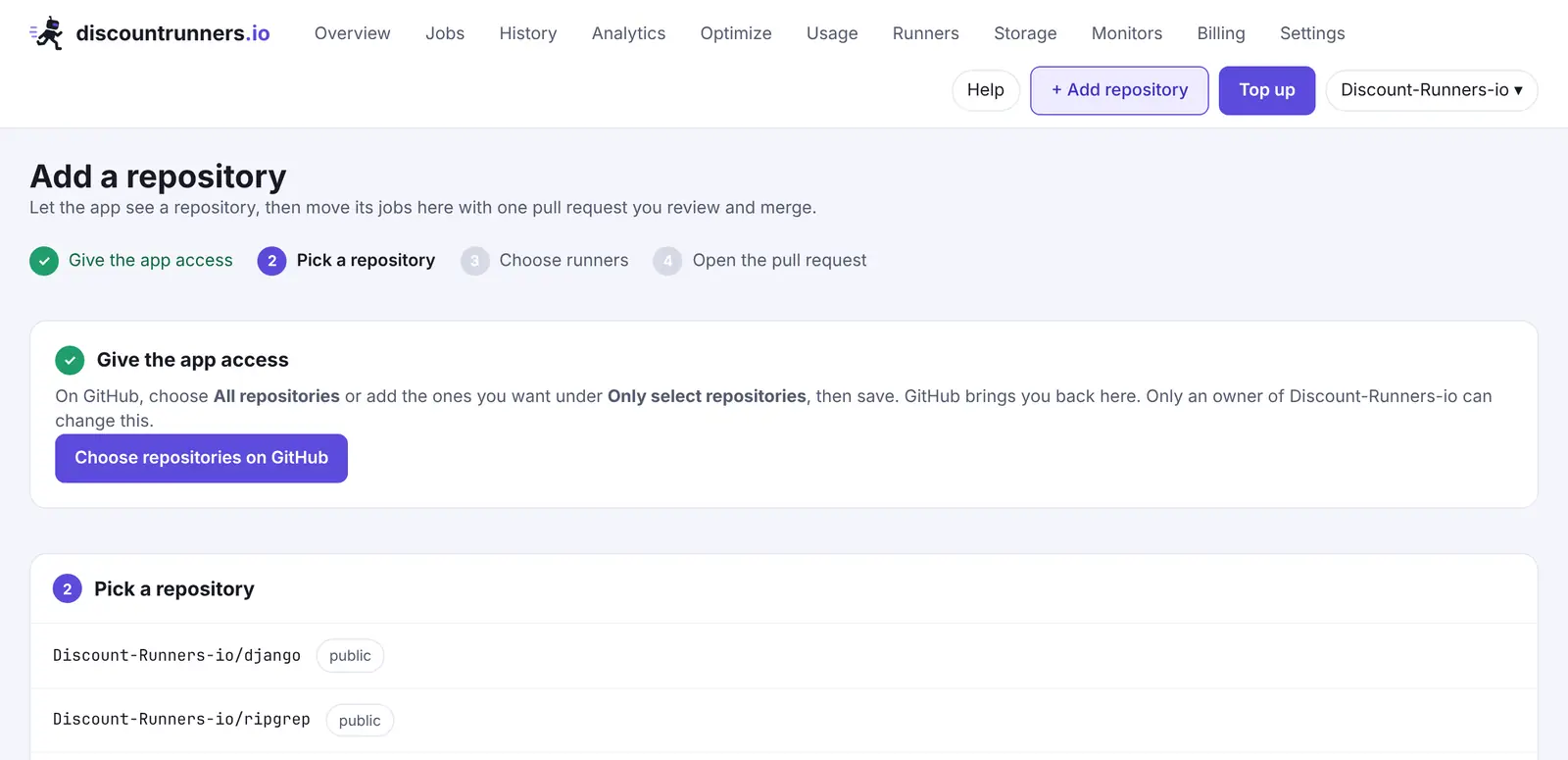
+ Add repository, at the top of every console page, walks through the same change: give the app access to a repository, pick it, choose a size for each job, and we open one pull request on the branch discountrunners/migrate for you to review and merge. Only that pull request writes to your repository; runners never get that access. The wizard is shown when it is enabled for your account.
5. Verify and roll back
Run the workflow and inspect GitHub's job log, then open the job in the console: its page shows why it waited, how its VM was used and the itemized charge. Compare a cold-cache run and subsequent warm-cache runs before expanding. To roll back, revert the workflow commit or restore its previous runs-on value. Existing jobs and retained storage are separate from that change.
Next: take the console tour, then right-size your runners. For failures or queued jobs, follow the troubleshooting guide.
Screenshots and videos in Help are a demonstration rebuilt from our own benchmark jobs. The jobs, steps, run times and charges are real; queue waits and the CPU, memory, disk and network graphs in them are illustrative, not measurements.