
Help / Actions history and logs
Actions history and logs
The History tab holds every workflow run and job in the repositories you installed our GitHub App on, whichever runner they used, with each job's log. Use it to search logs across jobs, see step times, and compare runners before and after you move a workflow.
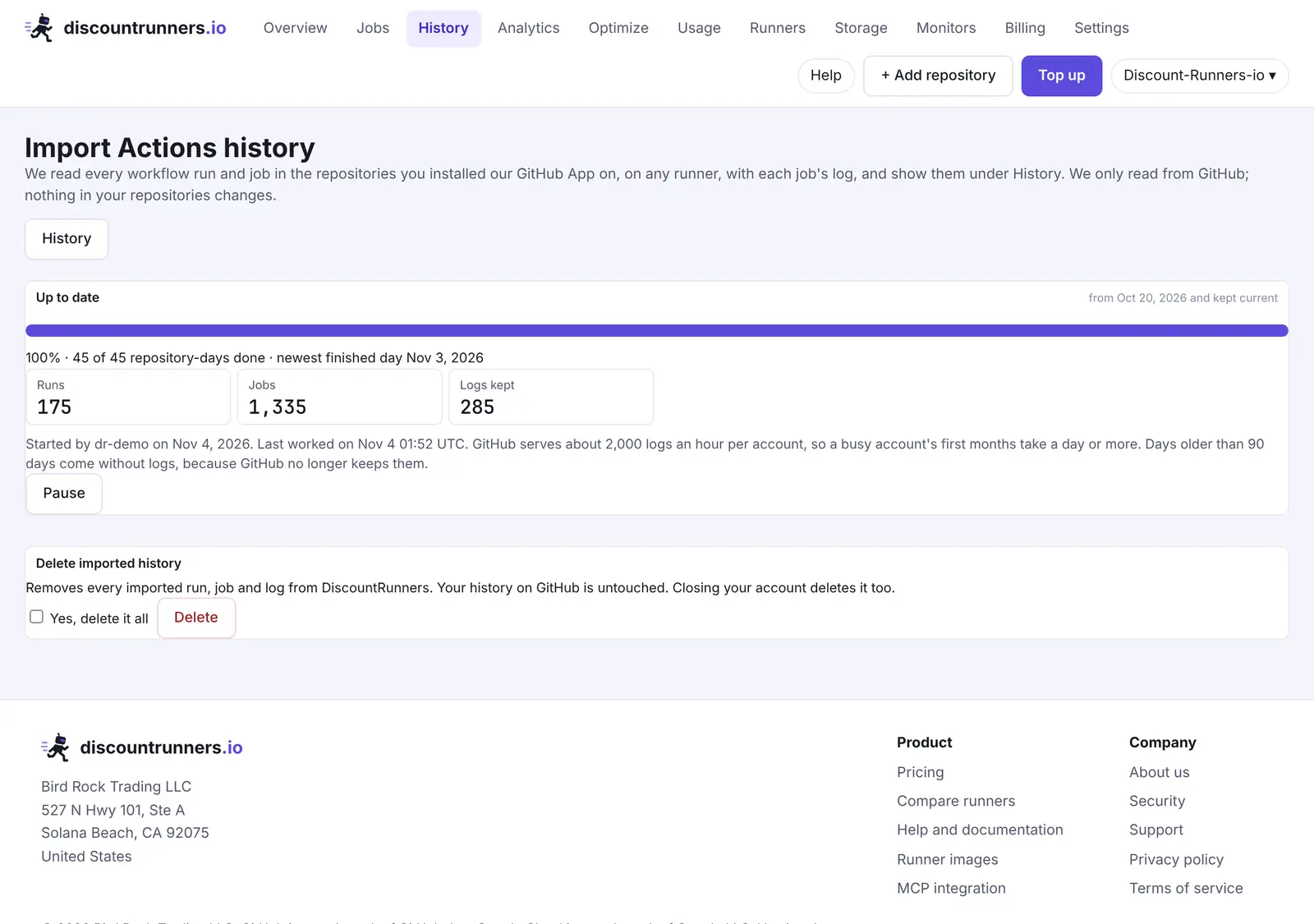
Start an import
- Open History → Import. Only admins of the account can start, pause or delete an import.
- Pick the first day to import, up to 400 days back. The default is the oldest day GitHub still has logs for; earlier days bring runs and jobs without logs, because GitHub keeps logs for 90 days.
- Leave Keep it current ticked to import each new day after it ends, then press Start import.
The first days appear within a few minutes. GitHub serves about 2,000 logs an hour per account, so a busy account's first months take a day or more. The import only reads from GitHub; nothing in your repositories changes. It uses part of your GitHub App's hourly API allowance and always leaves room for starting your jobs. The page shows progress, lets you pause and resume, and deletes everything imported when you ask. Closing your account deletes it too.
Browse imported jobs
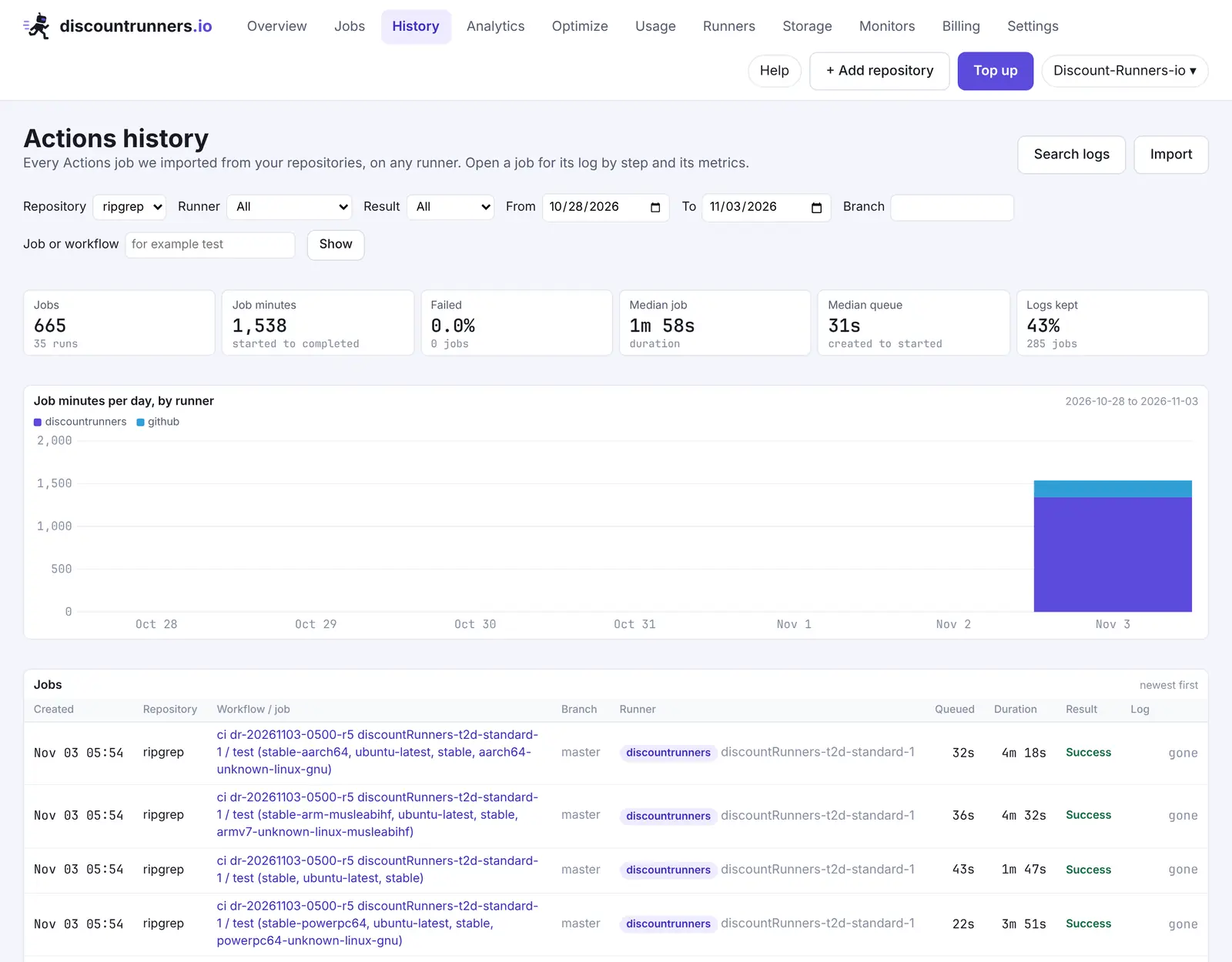
History lists jobs newest first with their repository, workflow, branch, runner, queue time, duration and result. Filter by repository, runner provider, result, branch, job or workflow name and a date range. The header totals jobs, job minutes, failure rate, median duration and median queue time for the filter, and a chart shows job minutes per day by runner, which makes a migration visible as one color replacing another.
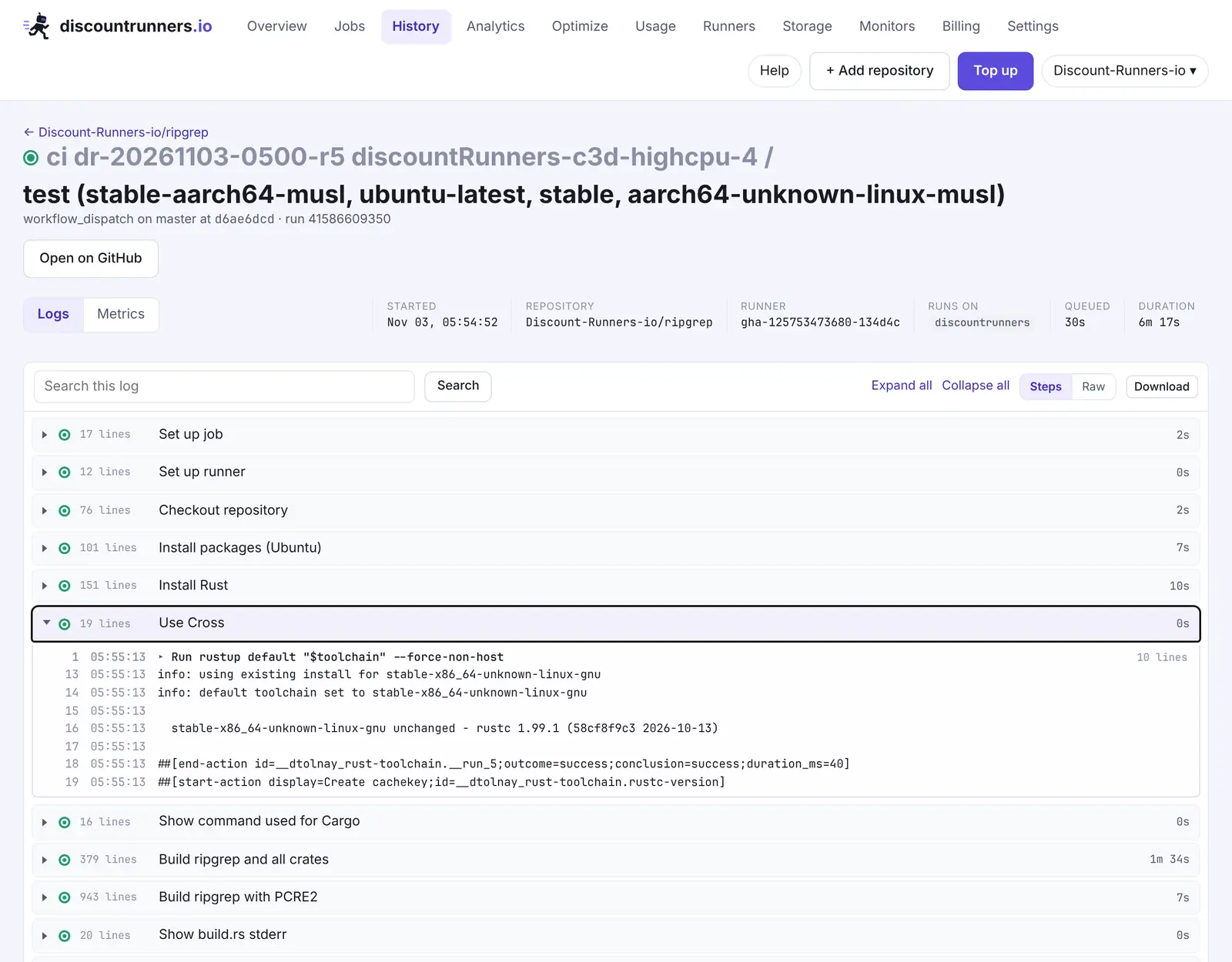
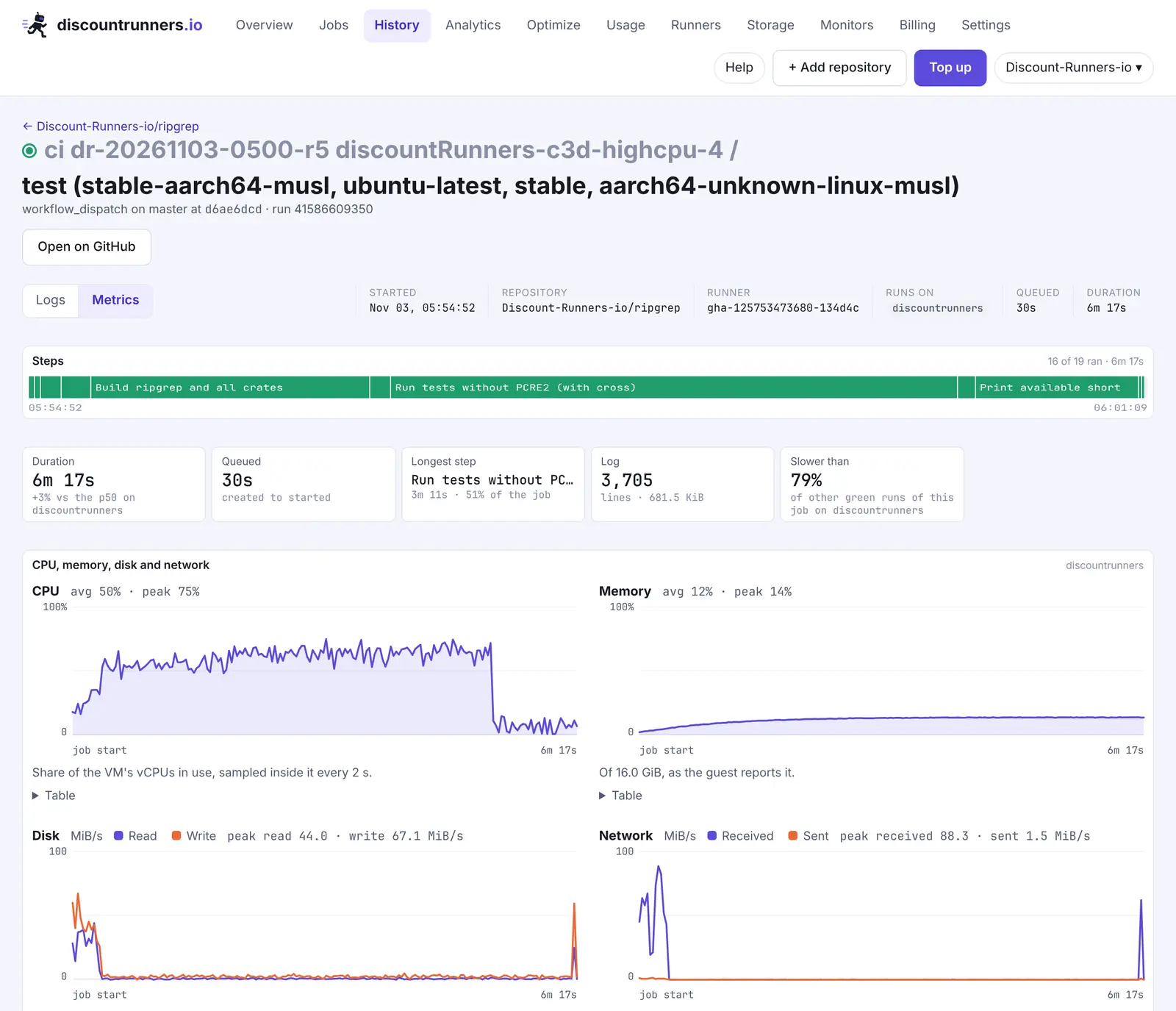
One job: Logs and Metrics
Logs shows the job's log split into its steps, with the failed step opened. Search within the log, expand groups, link to a line, switch to the raw log or download it in GitHub's own format.
Metrics shows the step timeline, log activity over time, and each step's time against the same job's other runs, so a step that suddenly got slower stands out. For jobs that ran on DiscountRunners it adds the VM's CPU, memory, disk and network.
Search every log
Search logs finds a line in every imported job log between two dates. Matching ignores case and treats what you type as plain text. A search stops after 10 seconds, so pick a repository for long ranges. Each result links to the line in its job. Lines from jobs imported in the last few minutes may not be indexed yet.
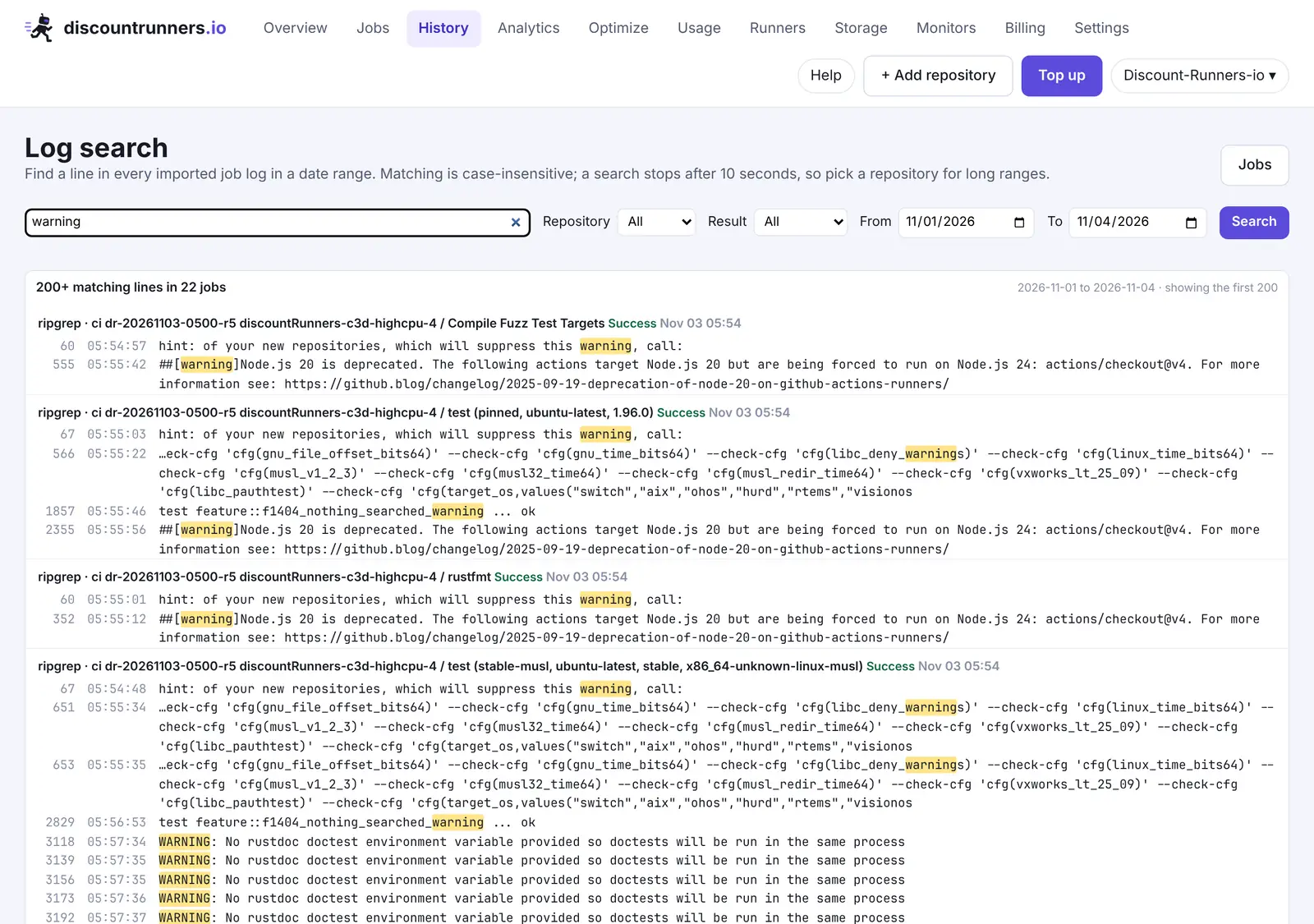
Screenshots and videos in Help are a demonstration rebuilt from our own benchmark jobs. The jobs, steps, run times and charges are real; queue waits and the CPU, memory, disk and network graphs in them are illustrative, not measurements.