
Help / Settings and team controls
Settings and team controls
Settings holds the controls an account's admins set for everyone. The account itself and the owners of the organization on GitHub can always sign in. They can add members under Members as Viewer (sees everything), Operator (can also open pull requests, set up repositories, ask for SSH and request runner classes) or Admin (can also change settings, add funds and manage members). A member keeps access only while they can see at least one of the account's repositories on GitHub, and someone who can see them can ask for access from the welcome page. Sign-ins are re-checked every 8 hours. Repository access is managed on GitHub.
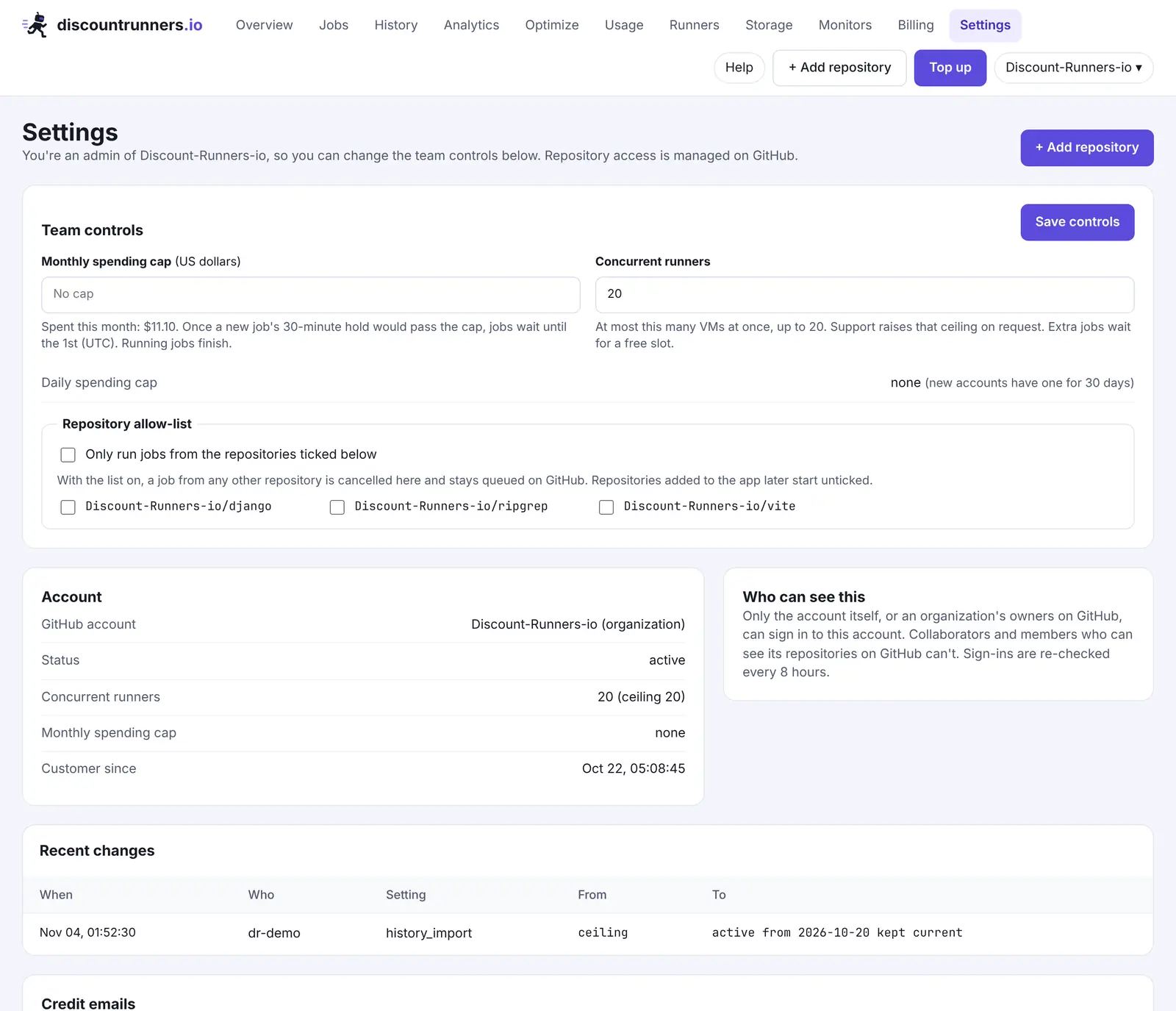
Team controls
| Control | What it does |
|---|---|
| Monthly spending cap | Once a new job's 30-minute hold would pass the cap, jobs wait until the 1st (UTC). Running jobs finish. Empty means no cap. |
| Concurrent runners | The most VMs at once, up to your account's ceiling. Extra jobs wait for a free slot. Support raises the ceiling on request. |
| Repository allow-list | When on, only ticked repositories run jobs here; a job from any other repository stays queued on GitHub. Repositories added to the app later start unticked. |
New jobs follow a saved change from the scheduler's next pass, within a few seconds. Every change is listed under Recent changes with who made it, the old value and the new one.
More settings
| Setting | What it does |
|---|---|
| Static egress IP | Gives every job of the account one fixed IPv4 address to allow in firewalls and API allow-lists. Jobs then run only in the region you pick. Charged per day from the day it is ready, plus traffic through it; see the price book. |
| Telemetry export | Sends every run as an OpenTelemetry trace, job metrics and, if you choose, job logs to your own observability tool. See OpenTelemetry export. |
| SSH debug | Lets admins open a shell in a job's VM, chooses who else may, and how long a failed job's VM stays up. See SSH into a job. |
| Credit emails | Up to five addresses told when a workflow run waits for credit or is cancelled because credit ran out, at most once every 15 minutes. |
| Job logs | Each job's log names its runner class, machine, zone, image and price. This switch adds the job's estimated charge and saving at the end of the log. Anyone who can read the repository's Actions logs sees those lines. |
| Package mirrors | Where we run package mirrors, npm and pip fetch package files from a mirror in the runner's region. Both are on by default, and each can be turned off. A package-lock.json that npm writes on our runner records the mirror's address; if a job commits one, its log names the file and how to fix it. |
| Automatic re-runs | When every failed job of a finished run failed because the cloud provider stopped its runner, we re-run the failed jobs once, at no extra cost. On by default. A re-run repeats steps that already ran, so make deploy steps safe to repeat. |
| Machines | Auto-upgrade lets a job run on a bigger machine of the same architecture when one is available; you pay your class's price either way. Turn it off if jobs depend on the exact machine, such as tests that assert on timings or builds compiled with -march=native and cached. |
| Self-sizing | The most one size trial of discountrunners-auto may cost. See self-sizing. |
| Pull request cost comments | One comment per pull request in the ticked repositories, updated as its runs finish. Off until you tick a repository. |
| App connections | Apps connected through our MCP server, who connected them and when, with a Revoke button. |
| Installations | The GitHub App installations behind this account and the repositories each can see. |
Adding repositories
+ Add repository sends you to GitHub to choose which repositories the app can see, then lists them so you can switch a repository's workflows with one pull request. See Getting started.
Screenshots and videos in Help are a demonstration rebuilt from our own benchmark jobs. The jobs, steps, run times and charges are real; queue waits and the CPU, memory, disk and network graphs in them are illustrative, not measurements.